
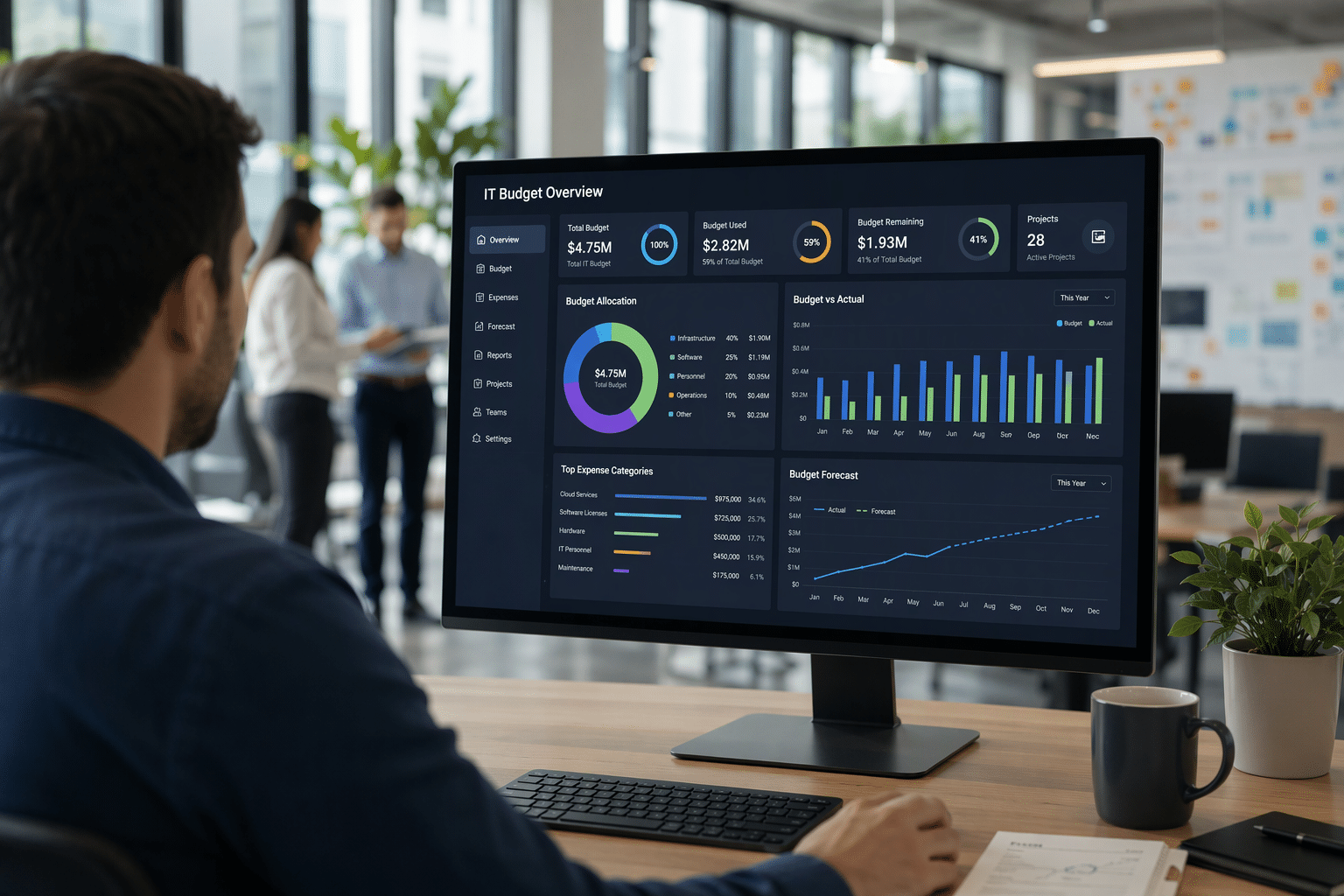
Managing technology spending can feel hard when your business needs keep changing. You need a clear starting point that helps you understand current it expenses, plan for future upgrades, and avoid rushed decisions. That is where solid financial management matters. A practical budget gives you a better view of what your systems cost and what they should deliver. With the right support from Vision Computer Solutions, you can make technology spending more predictable, useful, and aligned with your goals.
Understanding the Importance of a Technology Budget for Your Business
A technology budget is more than a spreadsheet. It is a key part of it budget planning that helps you match it investments to business priorities. Instead of reacting when something breaks, you can make thoughtful decisions that support daily work, security, and future projects.
That structure also strengthens your financial planning. The essential steps usually start with reviewing current costs, identifying needs, forecasting changes, and building a strategic plan. Once you know those basics, the next sections show how budgeting affects results, where businesses struggle, and how Vision can help.
How an Effective IT Budget Impacts Overall Business Success
A strong budget shapes better business outcomes because it gives you a clear view of where money goes and why it matters. When your team knows what is funded, you can support critical systems, reduce downtime, and keep projects moving without last-minute spending.
For small business owners and startups, accurate estimates usually begin with a close review of current tools, renewal dates, device age, support needs, and planned hiring. That kind of strategic planning creates a realistic baseline instead of a guess. It also helps you separate recurring costs from one-time purchases.
Over time, good budget management supports business growth. You invest in the right areas, avoid waste, and show the business value of technology. When each dollar is tied to a purpose, leaders are more likely to approve future initiatives and trust long-term plans.
Common Challenges Businesses Face with IT Budgets
Many businesses struggle because IT expenses do not stay still. Prices change, tools multiply, and new risks appear. If you do not plan ahead, even routine upgrades can turn into urgent purchases that create business risk and disrupt other priorities.
Common mistakes often come from missing important categories or waiting too long to review costs. Problems usually include:
- Ignoring regulatory requirements and compliance needs
- Underfunding disaster recovery and backup readiness
- Overlooking unused software or overlapping tools
- Failing to plan for unexpected expenses
- Treating security as optional instead of essential
Another challenge is limited visibility. If departments buy tools on their own, your numbers will be incomplete. That makes forecasting harder and increases waste. A better approach is regular review, clear ownership, and a budget that covers operations, growth, and protection together.
The Role of Vision Computer Solutions in IT Budget Management
Vision Computer Solutions helps make budget management easier by turning complex technology decisions into a practical plan. Instead of leaving your IT department to figure everything out alone, Vision works with your team to review current costs, identify gaps, and set realistic priorities.
That support encourages proactive spending rather than emergency spending. Vision can help you organize budget categories such as hardware, software, cloud, security, support, and project work. In simple terms, that acts like an it budget template you can use as a working model for planning and tracking.
Just as important, Vision connects those line items to your business goals. Their IT services can help you see where outside expertise, better vendor choices, or cost optimization can improve results. That means fewer surprises, stronger control, and better use of your technology dollars.
Core Components of a Business IT Budget
Every IT budget plan should include clear line items for the systems and services your business depends on. That means looking at both one-time purchases and recurring costs, so your budget planning process reflects what you truly spend year after year.
The most important categories usually include hardware, software, cloud, security, personnel, network upkeep, and outside support. You also need to think about total cost of ownership, not just sticker price. The following sections break down these technology costs so you can build a more complete plan.
Hardware and Equipment Expenses
Hardware costs often get attention only when something fails. That approach creates pressure and can slow your team down. A better plan is to map out your devices, servers, networking gear, and other equipment spending over several years.
Start by reviewing the age, condition, and support status of the items in your technology environment. Laptops, desktops, monitors, phones, servers, and related tools all affect performance. If aging equipment is part of your IT infrastructure, delayed replacement can increase downtime and support needs.
You should budget for routine refreshes, maintenance agreements, and possible price changes. Include warranties and replacement timelines where possible. Vision Computer Solutions can help you build a refresh roadmap, so hardware costs become predictable and do not hit your business all at once.
Software Licensing and Subscription Costs
Software costs can grow quietly. Monthly subscriptions, annual renewals, extra user seats, and add-on tools often build up before you notice the full impact. That is why software should have its own section in your budget from the start.
Begin with a complete inventory of licensing expenses across productivity suites, security tools, business apps, development tools, and infrastructure platforms. Then review your ongoing costs by renewal date, user count, and actual usage. This process helps you find unused licenses, overlapping products, and chances to simplify vendor management.
Planning well means going beyond the renewal invoice. You should ask whether broader licensing bundles offer more value than separate products. Vision Computer Solutions can help compare options, reduce unnecessary tools, and make software spending easier to manage over time.
Cloud Services and Infrastructure Spending
Cloud services give your business flexibility, but they can also create fast-moving costs. Usage changes, storage growth, and new workloads can shift spending month to month. If you want control, cloud infrastructure needs active planning, not guesswork.
A useful budget should cover more than hosting. Include migrations, monitoring, governance, security controls, and optimization work tied to cloud computing. You also need visibility into resource use, underused services, and platform choices. That helps you understand your real cloud cost and where savings may exist.
To track spending, many businesses use dashboards from major providers, such as cost management and usage tools built into their cloud platforms. Vision Computer Solutions can help you read those dashboards, improve reporting, and create a cloud budget that supports value instead of waste.
Cybersecurity Budget Planning and Allocation
Cybersecurity should never be treated as a side expense. Security spending protects your operations, supports compliance requirements, and lowers the chance of costly disruption. When you plan for cyber needs early, you reduce risk and make approval easier.
A smart budget includes layered protection across people, systems, and data. Key areas often include:
- Identity and access management tools
- Multi-factor authentication and endpoint protection
- Threat monitoring and response capabilities
- Security awareness training for staff
- Governance support for regulatory changes
Your plan should match your risk level, industry rules, and business needs. Instead of stacking more products on top of each other, review overlap and focus on value. Vision Computer Solutions can help you prioritize tools, build a practical security roadmap, and keep cybersecurity aligned with your broader technology budget.
IT Personnel, Support, and Training Expenses
People are a major part of any technology budget. Salaries, benefits, certifications, contractor costs, and training expenses all matter. Whether you have in-house IT staff or rely on outside support, those costs should be planned clearly.
For SMBs, budgeting often focuses on getting reliable help without building a large internal team. Larger organizations may have specialized roles and a bigger support structure. Either way, human resources planning should reflect your size, complexity, and growth plans.
You should also speak with department heads about their support needs, software usage, and training gaps. Vision Computer Solutions can fill skill gaps with managed services and strategic guidance, helping you control support costs while keeping your team productive and well supported.
Network Maintenance and Upgrades
Your network is the backbone of daily work. If IT is slow, outdated, or unreliable, the whole business feels it. That is why network upgrades deserve a clear place in your budget, along with the ongoing costs of support and maintenance.
This category can include switches, wireless equipment, firewalls, cabling, monitoring, and repair agreements. It also connects directly to business continuity because weak network performance can interrupt access to systems, cloud tools, and communication platforms when your team needs them most.
Do not forget disaster recovery needs here. Redundancy, backup connectivity, and regular review of network health all help reduce downtime. Vision Computer Solutions can assess your current setup, identify weak points, and help you schedule network upgrades before they turn into business disruptions.
Professional Services and Outsourcing Costs
Sometimes the smartest choice is not hiring more full-time staff. Professional services and outsourcing can give you access to cloud, security, compliance, and project expertise without carrying all that cost internally. For many businesses, that is a practical way to close skill gaps.
These costs may include project support, migrations, consulting, managed services, or advisory work. Good planning means defining where outside help adds the most value. It also means strong vendor management, so services are aligned with needs and contracts stay under control.
Best practices include reviewing expected outcomes, comparing providers carefully, and linking outside support to measurable business value. Vision Computer Solutions can serve as a trusted partner here, helping you improve delivery, reduce operational strain, and make sure external spending supports your long-term plan.
Key Principles for Managing Business IT Costs
Managing technology costs takes more than trimming purchases. You need a financial plan that supports reliability, security, and growth at the same time. A strong IT budget plan gives structure to your budgeting process and helps you avoid waste without undercutting essential services.
The best practices usually come down to a few core ideas: align spending to goals, rank priorities clearly, control costs with data, and stay flexible. With that base in place, the next principles show how to make strategic planning practical for everyday decisions.
Aligning IT Investments with Business Objectives
The best budgets tie IT investments directly to business objectives. When leaders can see how a tool improves productivity, lowers risk, or supports growth, approval gets easier. Technology should not sit apart from business strategy. IT should support it.
For SMBs, this often means focusing on core systems, security, and dependable support. Larger organizations may spread spending across more specialized projects and teams. The scale differs, but the need to connect technology to business goals stays the same.
Start by asking a simple question: what outcome should this spend create? If the answer is clear, the budget line is easier to defend. Vision Computer Solutions helps businesses connect technical decisions to real goals, so spending feels purposeful rather than reactive.
Prioritizing Essential vs. Discretionary Spending
Not every purchase has the same urgency. Good budget planning separates what your business must fund from what can wait. That protects cash flow and keeps your strategic plan focused on the items that support security, operations, and stability first.
A useful way to rank spending is to place must-have items ahead of optional improvements. Essential areas often include:
- Security updates and core protection tools
- Device replacement for failing critical equipment
- Backup, disaster recovery, and continuity measures
- Renewals for systems tied to daily operations
A common mistake is giving too much room to nice-to-have tools while delaying necessary upkeep. Vision Computer Solutions can help you sort spending into practical tiers, so business priorities stay clear and your budget supports what matters most first.
Balancing Innovation with Cost Control
Innovation matters, but it should not crowd out the basics. In IT budgeting, the goal is to support new ideas while keeping systems stable, secure, and affordable. If you skip that balance, you risk reactive spending later just to fix neglected essentials.
A better path is to reserve part of your budget for measured improvement. That can include pilot projects, digital transformation work, or AI-related planning, as long as it fits your broader strategic planning. Financial management works best when innovation has a defined purpose and a clear limit.
Think in terms of business value. What will this new investment improve, and what will it cost to maintain? Vision Computer Solutions helps businesses evaluate new opportunities without losing cost control, so progress stays realistic and sustainable.
Planning for Unexpected IT Expenses
Even careful budgets face surprises. Hardware can fail, security needs can change, and vendor pricing can rise. If your financial plan has no cushion, those unexpected expenses can delay projects or force cuts in important areas.
That is why a contingency fund matters. It helps reduce business risk and gives you room to respond without creating chaos. Common uses include:
- Emergency replacements for failed equipment
- Urgent security or compliance changes
- Recovery costs tied to outages or disaster recovery events
One of the biggest budgeting mistakes is assuming the year will go exactly as planned. Vision Computer Solutions can help you set a realistic buffer based on your environment, so you are prepared for changes without overspending from fear.
A Beginner’s Guide to Managing Your IT Budget with Vision
If you are new to budgeting, the IT budget planning process starts with understanding what you already have, what it costs, and what your business needs next. That simple starting point makes budget management less overwhelming and much more useful.
Vision Computer Solutions helps turn that information into a strategic plan you can follow. The essential steps are straightforward: review, forecast, prioritize, fund, and revisit. The next sections walk through that process so you can build a budget that supports better business outcomes.
What You Need to Get Started (Resources, Data, Team Input)
Before you build a budget, gather the information that shows where your money goes now. That is your real starting point. Without that data, even careful financial planning becomes guesswork.
Useful inputs usually include:
- A list of current devices, software, and services
- Renewal dates, support contracts, and recent invoices
- Notes from department heads about tools and pain points
- Planned hiring, growth, or office changes tied to business needs
In practice, this becomes the foundation of a simple budget template. You can organize it by category, renewal date, owner, and monthly or annual cost. Vision Computer Solutions can help you gather clean data, spot gaps, and turn scattered information into a budget structure that is easy to maintain.
Step-by-Step Guide to Creating Your IT Budget
The best way to approach budgeting is one step at a time. A simple planning process helps you avoid missing key costs and keeps the final numbers tied to real needs, not assumptions.
Start by reviewing your current environment and setting goals. Then forecast future costs, rank priorities, assign funds, and leave room for change. That budgeting process gives you a repeatable structure you can refine each year instead of rebuilding everything from scratch.
Your budget planning process should also reflect your IT strategy. If growth, security, modernization, or cloud use is part of the plan, your numbers should show it. Vision Computer Solutions helps businesses move through each step with clarity, so the budget supports both daily operations and future direction.
Step 1: Audit Current IT Assets and Expenses
Start with a full inventory of your it assets and current spending. Look at hardware, software, cloud subscriptions, support contracts, and outside IT services. This gives your budget planning process a real baseline instead of a rough estimate.
As you review, separate recurring charges from one-time purchases. Include owners, renewal dates, and whether each item is still needed. That helps you clean up line items and uncover ongoing costs that may no longer deliver value.
Here is a simple text table you can use as a starting template:
| Category | Item | Owner | Cost Type | Renewal/Replace Date | Annual Cost | Notes |
|---|---|---|---|---|---|---|
| Hardware | Employee laptops | IT | One-time | Q3 | $12,000 | Refresh cycle needed |
| Software | Productivity suite | Operations | Recurring | Annual | $9,600 | Review unused seats |
| Cloud | File storage | IT | Recurring | Monthly | $4,800 | Monitor usage growth |
| Security | Endpoint protection | IT | Recurring | Annual | $3,000 | Critical protection |
| Support | Managed help desk | Vision | Recurring | Annual | $18,000 | Core support service |
Step 2: Identify Business Goals and Technology Needs
Once you know your current costs, connect them to where the business is headed. That means identifying business goals such as growth, better security, improved productivity, or support for new locations and staff.
This step is about matching technology to business needs. For example, if you plan to hire more people, you may need more devices, licenses, and support. If compliance pressure is rising, security and governance may move higher on the list. Strategic planning works best when business priorities drive the technology conversation.
At this stage, the most important categories become clearer. Hardware, software, cloud, cybersecurity, support, network, and continuity all deserve attention, but their weight should match what your business is trying to achieve. Vision Computer Solutions helps you translate goals into practical budget decisions.
Step 3: Forecast Future IT Requirements and Costs
Forecasting is where your budget starts looking ahead instead of backward. Review planned hiring, device age, contract renewals, cloud growth, security needs, and project work. That gives you a better picture of future technology costs over the next budget cycle.
For a small business or startup, accurate estimates come from using real data: past invoices, known renewal dates, likely replacements, and expected business growth. You do not need perfect precision. You need a reasoned estimate that reflects what is likely to happen.
Keep total cost of ownership in mind as you forecast. A low purchase price may still lead to higher support, training, or downtime costs later. Vision Computer Solutions can help you model upcoming needs so your financial management stays practical and grounded.
Step 4: Allocate Funds Across IT Categories
Now it is time to assign dollars to the categories you have defined. Good budget planning means giving every major need its own place, so spending is easier to track and defend later.
Your IT budget planning process should include clear line items for the areas that support daily operations and long-term stability. Most businesses should fund:
- Core infrastructure, devices, and network upkeep
- Software, cloud, and cybersecurity protection
- Support, training, and outside expertise where needed
Work with your IT department and finance leaders to make sure the numbers match reality. Vision Computer Solutions can help balance priorities across categories, so critical functions are funded first, and lower-value requests do not crowd out essentials.
Step 5: Build Flexibility for Growth and Emergencies
A rigid budget can break the moment conditions change. That is why flexibility matters. Your plan should support growth while also preparing for unexpected expenses such as outages, failed equipment, or urgent security changes.
The most practical way to do that is through a contingency fund. This reserve helps protect business continuity because you do not need to pull money from core operations every time a problem appears. IT also supports disaster recovery planning by giving you resources when systems need fast attention.
Growth creates change too. More users, more data, and more services usually mean higher costs. Vision Computer Solutions can help you build a flexible budget that covers today’s needs while leaving enough room to respond to tomorrow’s demands.
Step 6: Review, Approve, and Communicate the Budget
A budget is not finished when the numbers are entered. It needs review, approval, and clear communication. If stakeholders do not understand why the spending matters, even a solid plan can stall.
Bring finance teams and department heads into the conversation early. That makes approval smoother and helps others see how the budget supports the strategic plan, daily operations, and business objectives. During review, focus on:
- Why each major expense matters
- Which items address regulatory requirements or risk
- What tradeoffs happen if funding is reduced
Strong communication builds trust. Vision Computer Solutions can help present your budget in business terms, making it easier for leadership to see value, approve needed spending, and stay aligned on expectations throughout the year.
Best Practices for Building a Sustainable Technology Budget
A sustainable budget is one you can manage all year, not just approve once. The best practices focus on visibility, routine review, and steady alignment with your strategic plan. That keeps financial planning grounded and useful as your environment changes.
Sustainable growth also depends on discipline. When you track spending closely, review assumptions often, and involve the right people, your budget planning process becomes more reliable. The next sections highlight practical ways to keep that momentum going.
Leveraging IT Budgeting Tools and Dashboards
Tools make IT budgeting easier because they show where money is going without forcing your team to build every report by hand. If you manage cloud services, subscriptions, and support costs, dashboards can give you faster answers and better control.
Good tools help with both visibility and financial management. Common examples include provider-based cost dashboards and expense tracking systems that show trends by category, service, or owner. Useful features often include:
- Real-time views of technology expenses
- Alerts when spending reaches set limits
- Reporting by vendor, team, or category
- Forecasting for renewals and variable usage
Vision Computer Solutions can help you choose tools that fit your size and complexity. More important, they can help you use the data well, so reports lead to decisions and not just more numbers on a screen.
Using Real-Time Data for Accurate Budget Tracking
Real-time data helps you manage your budget before problems grow. Instead of waiting for month-end reports, you can see changes as they happen and act faster when spending drifts from plan.
That improves budget management because variable costs like cloud usage, subscriptions, and support can rise quietly. When you monitor ongoing costs regularly, your financial planning becomes more accurate. This is especially helpful for a small business or startup that may not have years of spending history to guide decisions.
Accurate estimating often comes from steady tracking, not perfect forecasting at the start. Vision Computer Solutions can help you set up reporting that shows active spending patterns, making it easier to adjust early and keep your budget tied to real business conditions.
Scheduling Regular Budget Reviews and Adjustments
A budget should be reviewed regularly, not left alone after approval. Quarterly reviews are a smart rhythm because they give you enough time to spot trends, compare plan to actuals, and make changes before overruns become serious.
These reviews strengthen your budget planning process and improve financial management. They also help you respond to shifts in staffing, pricing, compliance, or project timing. If a category is underused, funds may be moved. If costs are rising, you can act before the issue spreads.
The goal is better business outcomes, not constant revisions. Vision Computer Solutions can support quarterly reviews by identifying gaps, flagging unnecessary spend, and helping you decide where budget adjustments will have the most value.
Involving Key Stakeholders in Budget Decisions
Good budgets are built with input, not in isolation. Department heads, IT leaders, and finance teams all see different parts of the business. When they contribute early, the budget is more complete and easier to defend.
Stakeholder input supports business strategy because technology affects every team differently. It also improves strategic planning by surfacing hidden needs, overlapping tools, and future changes. Ask stakeholders to help with:
- Identifying critical tools and support needs
- Flagging planned growth or process changes
- Reviewing priorities before final approval
Vision Computer Solutions can help guide these conversations and turn different viewpoints into one practical budget. That leads to stronger buy-in, fewer surprises, and spending decisions that reflect the business as a whole.
How Vision Computer Solutions Supports Your IT Budget Goals
Vision Computer Solutions supports businesses by turning budget planning into an organized, repeatable process. Whether you are a smaller company that needs clear priorities or a larger organization with more moving parts, Vision helps shape an IT budget plan that fits your size and goals.
That support goes beyond setup. Vision focuses on business outcomes, cost optimization, and dependable IT services that keep your budget useful through the year. The next sections show how that help works in practice.
Customized IT Budget Planning Services
Every business has different systems, risks, and growth plans. Vision Computer Solutions responds with a customized =IT budget planning process instead of a one-size-fits-all worksheet. That makes the budget more useful and far easier to maintain.
Vision can help organize your plan around your business needs and business priorities. Support may include:
- Building category-based templates for hardware, software, cloud, security, and support
- Reviewing current spending and identifying waste or overlap
- Creating a budget management structure with timelines and owners
In simple terms, those templates give you a working example you can use and update. Vision helps turn your budget into a living tool, so it reflects real costs, clear ownership, and practical next steps for the year ahead.
Proactive Cybersecurity Budget Strategies
Vision Computer Solutions helps businesses treat cybersecurity as planned protection, not a last-minute purchase. That shift to proactive spending reduces business risk and makes it easier to justify investments before an incident forces action.
A practical cyber budget should reflect your compliance requirements, security goals, and current weak points. Vision can help review identity controls, endpoint protection, threat monitoring, training, and recovery needs. From there, you can prioritize security spending based on actual risk instead of fear or guesswork.
This approach is especially valuable when budgets are tight. By focusing on layered protection and reducing overlap, Vision helps you fund the controls that matter most. The result is stronger readiness, better alignment with business needs, and fewer expensive surprises.
Ongoing Support and Optimization of Business IT Costs
A budget needs upkeep after it is approved. Costs change, contracts renew, and priorities shift. Vision Computer Solutions provides ongoing support that helps you watch those changes and respond before they become problems.
That support improves budget optimization by reviewing ongoing costs, identifying overlap, and helping your team adjust spending based on actual needs. Good financial management is not just about cutting costs. IT is about using money where it creates the strongest business outcomes.
With regular guidance, your business can keep technology aligned with operations and business growth. Vision helps you stay proactive through reviews, planning support, and practical recommendations, so your IT budget remains useful throughout the year instead of becoming outdated after the first quarter.
Conclusion
In conclusion, managing your IT budget effectively is crucial for the success and sustainability of your business. By understanding the key components of an IT budget and employing best practices, you can align your technology investments with your overall business goals. Vision Computer Solutions is here to support you every step of the way, offering tailored budgeting strategies and ongoing assistance to optimize your IT expenses. Don’t leave your IT budget to chance; let our experts help you navigate this essential aspect of your business. Get started today by booking a free consultation with us!
Frequently Asked Questions
What percentage of my business expenses should an IT budget be?
There is no single number for every company. A common reference point is about 5.7% of revenue, with many businesses landing between 2% and 10%. Your IT spending depends on industry, growth stage, regulatory requirements, and how much technology your operations rely on. Good budget planning should reflect those realities.
How can I avoid common mistakes in IT budgeting?
Use a clear budgeting process, review current costs, and include security, support, and emergency reserves. Avoid reaction spending by setting priorities early and tying each expense to a strategic plan. One of the best practices is reviewing the budget regularly so small issues do not grow into larger business risk.
What categories are most important in an IT budget?
Strong budget planning usually includes line items for hardware, software, cloud services, cybersecurity, support, network upkeep, personnel, and disaster recovery. The most important technology costs depend on your business priorities, but every IT department should fund the systems that keep operations secure, productive, and reliable.
What tools can help track and manage my IT budget?
Tools that provide real-time data are especially helpful for IT budgeting. Many businesses use cloud services dashboards, cost management tools from major providers, and expense tracking platforms that show spending by category or vendor. These tools support better budget management and financial management by helping you catch changes early.

Zak McGraw, Digital Marketing Manager at Vision Computer Solutions in the Detroit Metro Area, shares tips on MSP services, cybersecurity, and business tech.