
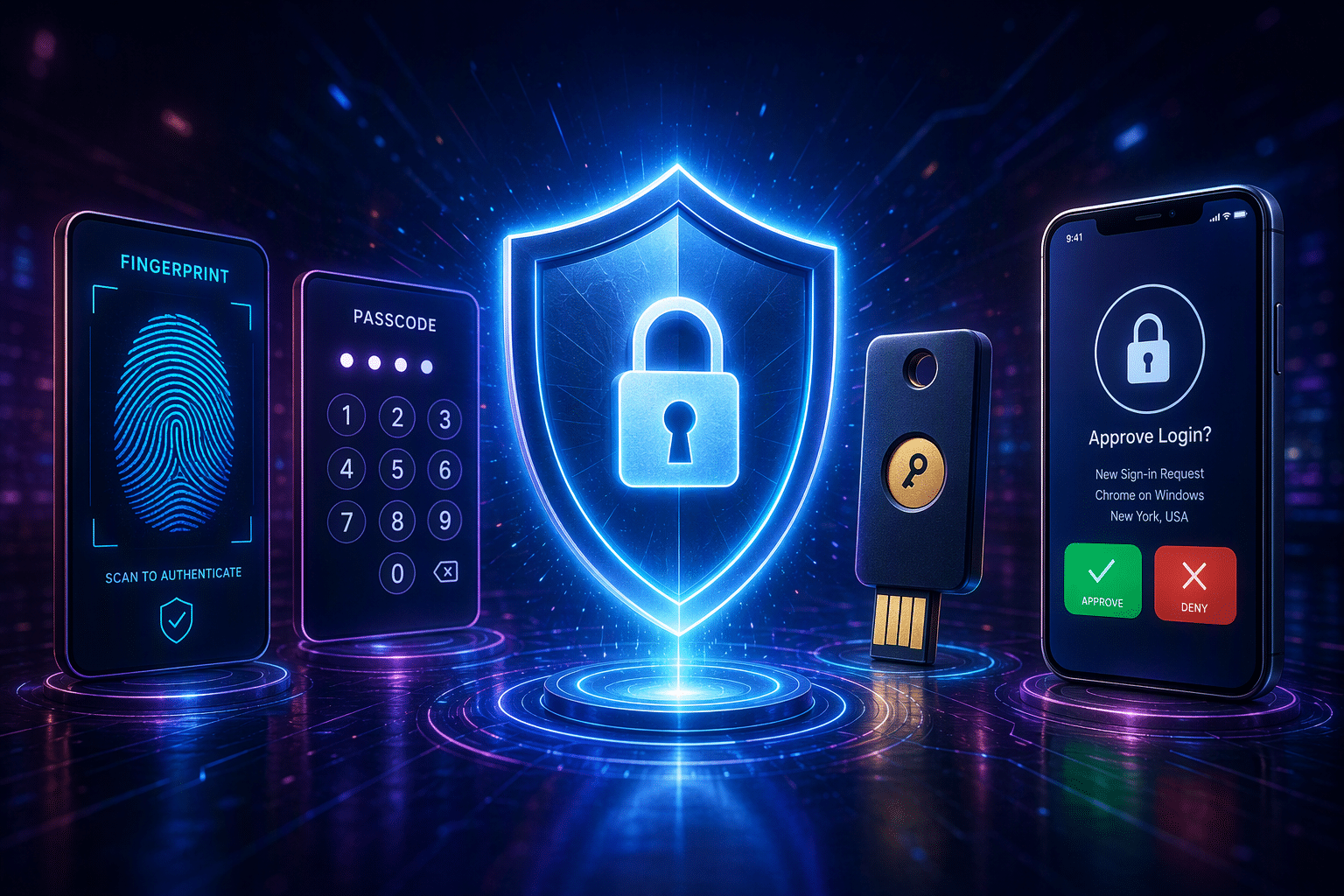
Passwords are still common, but they are no longer enough on their own. Multi-factor authentication gives you a smarter way to protect sensitive information by adding one more check before access is approved. That small extra step can stop many attacks cold. During this week of Cybersecurity Awareness Month, it is worth focusing on simple security measures that make a real difference. You will also have a video hosted by Steve from Vision Computer Solutions to help bring the topic to life.
Multi-Factor Authentication (MFA) during Cybersecurity Awareness Month
Multi-factor authentication (MFA) strengthens your security by requiring multiple forms of verification during login. Unlike single-factor methods that rely solely on passwords, MFA adds crucial layers of protection and reduces the risk of unauthorized access. These layers might include something you know (like a password), something you have (like a mobile device), or something you are (like biometric verification). As cyber threats continue to evolve, implementing MFA is essential to safeguarding sensitive information and ensuring a secure user experience.
What Does Multi-Factor Authentication Mean?
Multi-factor authentication (MFA) enhances security by requiring two or more verification methods from independent categories. These methods may include something you know (like a password), something you have (like a phone app), or something you are (like biometrics), significantly reducing unauthorized access risks.
How MFA Strengthens Online Security
Here is the simple reason Multi-Factor Authentication works: attackers often get passwords, but they usually do not have your second factor. That extra check adds a real layer of security during the login process.
Think about how many ways passwords can fail. They can be reused across sites, exposed in data breaches, captured by malware, or handed over during phishing scams. Even strong passwords can become useless after a breached website leaks them. That is why password-only protection is no longer enough.
MFA matters because it strengthens your security measures by forcing a second hurdle. A criminal who knows your password may still need your phone, your approval in an app, or your biometric authentication. That makes unauthorized access far less likely and gives your accounts much stronger protection.
Why MFA Matters in Today’s Digital World
Online life now depends on accounts for email, banking, shopping, work, and cloud storage. Each one holds sensitive information, and each one can be targeted by growing cyber threats.
At the same time, credential theft and large data breaches keep feeding attackers with stolen passwords. That is why security experts strongly recommend enabling MFA matters most on important accounts first. It gives you a practical way to cut risk before a single stolen login turns into a bigger problem.
The Rise of Online Threats and Account Compromises
The pressure on online accounts keeps rising. Attackers no longer need advanced tricks when simple stolen credentials can open the door. That is why account takeovers have become such a common result of weak login protection.
Several problems drive these cyber threats every day:
- Data breaches expose usernames and passwords from trusted websites.
- Phishing attacks trick people into entering login details on fake pages.
- Password reuse lets one stolen password unlock multiple accounts.
Once a criminal gets those details, they can move quickly. They may change recovery options, lock you out, or use the account for fraud. MFA interrupts that chain. Even if the first step is compromised, the second check often blocks the takeover before real damage begins.
Why Security Experts Recommend Enabling MFA
MFA matters because it is one of the simplest security measures with the biggest payoff. You do not need to overhaul your whole digital life. You only need to add another verification step to the accounts that matter most.
That advice also lines up with modern industry standards. Stronger authentication is now part of how organizations think about protecting sensitive data, meeting compliance needs, and reducing avoidable risk. For businesses, it helps protect staff, systems, and customer information.
Most importantly, MFA lowers the chance of unauthorized access in a very direct way. A stolen password by itself is no longer enough. That is why experts tell you to start with email, banking, work, school, and social platforms, then expand from there.
How Multi-Factor Authentication Works in Practice
In practice, MFA keeps the authentication process familiar while adding one extra checkpoint. You enter your username and password, just as you normally would, and then the system asks for another form of proof.
For most people, the user experience is quick. The extra verification steps may involve a code, a prompt on a phone, or a biometric scan. Different MFA methods add only a few seconds, but those seconds can block a much larger security problem.
User Experience: Logging in with MFA
For most users, the login process with MFA feels very close to a normal sign-in. You start with your username and password. If that first step checks out, the account asks for one more confirmation.
That additional verification might be a one-time code sent to your email address or mobile device. It could be a prompt inside an authenticator app asking you to approve the login attempt. In some systems, you may scan your fingerprint or use facial recognition instead of typing anything else.
At first, the extra verification steps may feel like a small slowdown. Still, the user experience is usually smooth and fast, especially on modern platforms. Compared with recovering a hacked account, spending a few extra seconds at login is a very reasonable trade.
Explaining the Layers: Something You Know, Have, and Are
MFA matters and is often explained through three groups of authentication factors. The first is something you know. That includes passwords, PINs, and sometimes security questions.
The second group is something you have. This could be your smartphone, an authenticator app, or security keys that you tap or plug in during login. These physical devices are useful because an attacker must possess them, not just know your password.
The third group is something you are. That refers to biometric authentication such as fingerprint scans, facial recognition, or voice recognition. MFA becomes stronger when it combines factors from different groups, like a password plus a phone approval, or a password plus a fingerprint. That layered approach makes it much harder for someone else to pretend to be you.
Comparing Single-Factor, Two-Factor, and Multi-Factor Authentication
The differences between single-factor, two-factor, and multi-factor authentication are crucial for understanding security. Single-factor authentication relies on just one method, typically a password, which can be vulnerable to unauthorized access. Two-factor authentication introduces an extra layer of security by requiring a second factor, like a mobile app or SMS code, enhancing protection against credential theft. Multi-factor authentication adds even more verification steps using various forms of authentication, such as facial recognition or hardware tokens, making it increasingly difficult for cyber threats to compromise sensitive data.
Passwords Alone vs. MFA – A Security Perspective
Relying solely on passwords for security increases vulnerability to credential theft and phishing attacks. Strong passwords may deter unauthorized access, but they often fall short against sophisticated cyber threats. Implementing multifactor authentication (MFA) adds layers of protection, requiring additional verification steps that correlate with a user’s identity, such as biometrics or push notifications. This extra layer of security disrupts the login process for malicious actors, significantly reducing the risk of unauthorized access to sensitive data and accounts.
Understanding 2FA and How It Differs from MFA
Two-factor authentication (2FA) enhances security by requiring two distinct forms of verification before granting access. Typically, this involves something the user knows, like a password, and something the user has, like a mobile device or an authenticator app. In contrast, multi-factor authentication (MFA) expands on this concept by integrating additional layers of security, such as biometric verification or security keys. While both methods significantly reduce the risk of unauthorized access, MFA provides a more robust defense against cyber threats and credential theft.
Common Types of MFA Methods
You have several MFA methods to choose from, and each one works a little differently. The most common authentication methods include app-based codes, push approvals, SMS messages, email codes, biometric verification, and hardware options.
Some choices are stronger than others. Security keys and authenticator apps are widely recommended, while text and email codes are more convenient but less secure. Knowing the common options helps you choose a method that fits both your needs and your comfort level.
Authenticator Apps and Push Notifications
Authenticator apps are one of the most popular MFA options today. They usually live on your mobile device and either generate time-based codes or send a prompt asking you to approve a login attempt. They are simple, fast, and widely supported.
Well-known examples include:
- Google Authenticator for one-time passcodes
- Microsoft Authenticator for codes and push notifications
- Duo-style approval prompts through mobile apps
Many people like this approach because it balances security and convenience. You do not need to wait for a text message, and the app is tied to a device you already carry. For many accounts, an authenticator app is a stronger choice than SMS and a practical upgrade you can turn on right away.
SMS, Email Codes, and Security Keys
SMS and email codes are common because they are easy to understand. After you enter your password, the service sends a one-time code to your mobile device or email address. You type that code in to finish signing in.
These methods are better than relying on a password alone, but they are not the strongest options. Text messages can be vulnerable to SIM-swapping, and email codes are only as safe as the email account receiving them. That is why protecting your email with MFA matters.
Security keys and hardware tokens provide stronger protection. These physical devices must be plugged in, tapped, or otherwise presented during login. They take a little more planning to manage, but they are highly resistant to phishing and are a strong option for sensitive accounts.
Setting Up MFA on Your Accounts
Getting started with MFA is usually easier than people expect. Most major services now include a multi-factor authentication solution in their security settings, and setup often takes only a few minutes.
A smart approach is to begin with the accounts that matter most for secure access. That includes your email, banking tools, social media, work logins, and other business accounts. As you set things up, you will choose from different forms of verification based on what each service offers.
Step-by-Step: Adding MFA to Email Accounts
Start with your email account because it often controls password resets for everything else. If someone gets into that inbox, many other accounts can follow. Turning on MFA matters, it gives you a strong first win.
The authentication process is usually simple:
- Open your account security settings for your email address
- Find the sign-in or verification steps section
- Choose an app, text code, email code, or another available method
If the service offers stronger options, choose them over security questions when possible. Some platforms may also use adaptive multi-factor authentication, which adds checks based on device, location, or unusual behavior. Once setup is complete, test the login once or twice and save any backup options the service gives you.
Enabling MFA on Social Media and Other Key Services
After email, move to social media and other sensitive accounts. These profiles may look casual, but they often hold private messages, payment details, contacts, and recovery links that attackers can exploit.
The setup path is usually found in account settings under security, sign-in, or privacy. Many platforms let you choose between SMS, codes from mobile apps, or approval prompts. If stronger methods are offered, it makes sense to use them for better secure access.
Do not stop with social accounts alone. Banking, cloud storage, shopping sites, investment tools, school portals, and work systems also deserve attention. MFA matters, so if it’s available, turn it on. That simple habit can protect a surprising amount of your digital life from avoidable attacks.
Overcoming Challenges and Drawbacks of MFA
MFA matters, it’s highly useful, but not perfect. Some people worry about user convenience, extra setup, or what happens if a trusted device is not available when they need it.
Those concerns are real, yet they are manageable. A well-chosen MFA matters; it should support strong security measures without creating too much friction. Once you understand the common usability issues, it becomes easier to plan around them and keep protection in place.
Lost Devices, Usability Issues, and Helpful Solutions
One common concern is lost devices. If your phone or security key is missing, signing in can become difficult. Some users also run into usability issues when they manage several accounts or are unfamiliar with multi-factor authentication tools.
There are helpful solutions that can reduce stress:
- Register more than one method when a service allows it
- Store backup recovery options in a safe place
- Replace weaker fallbacks like security questions when stronger options exist
Physical devices such as hardware keys need extra care because losing them can lock you out. Still, these problems are manageable with planning. For most people and businesses, the inconvenience of recovery is far smaller than the disruption caused by a compromised account or a successful attack.
The Benefits of MFA for Small and Medium Businesses
Small and medium businesses face many of the same threats as larger organizations, but often with fewer resources to recover from an incident. That makes strong security measures even more important.
MFA matters because it helps by protecting sensitive data, reducing risk from stolen credentials, and supporting compliance needs that affect modern operations. For growing companies, it is a practical control that can strengthen daily security without requiring a complete rebuild of existing systems.
Protecting Sensitive Data and Reducing Risk
Business accounts often hold far more than email. They can open the door to customer records, shared files, payment details, cloud systems, and internal tools. That makes them valuable targets for attackers looking for an easy entry point.
MFA systems help by putting another barrier in front of those assets. Even if a staff password is stolen through phishing or exposed in a breach, the attacker still has to pass another check. That extra requirement does a lot of work in reducing risk.
For small and medium businesses, MFA matters because one compromise can create major downtime and recovery costs. Protecting sensitive data with MFA is a practical move, not just a technical one. It helps limit damage before an incident spreads across multiple accounts and systems.
Compliance, Customer Trust, and Operational Security
Businesses are under more pressure to protect information responsibly. In many fields, compliance expectations and regulatory requirements now push organizations toward stronger authentication for staff and systems.
MFA supports that goal by aligning with broader industry standards for protecting accounts and access. It also shows customers, partners, and employees that the company takes account security seriously. That can strengthen customer trust, especially when sensitive information is involved.
Operational security improves as well. When fewer unauthorized logins succeed, teams spend less time handling resets, lockouts, and incident response. For smaller organizations, that efficiency of MFA matters. Multi-factor authentication helps reduce avoidable disruption while supporting both security expectations and the smoother day-to-day running of the business.
How MFA Prevents Common Cyber Attacks
Many attacks still begin with stolen credentials. Phishing attacks, fake login pages, and other tricks are designed to capture passwords quickly and use them before you notice.
MFA helps because it adds layers of protection after that first secret is exposed. While it is not perfect, it makes unauthorized access much harder. That gives you a strong defense against common threats tied to credential theft and account misuse.
Stopping Phishing Attempts with MFA
Phishing attacks try to fool you into giving up your password, often through fake emails, texts, or websites. Some social engineering scams even pressure people to share one-time codes by pretending there is an urgent issue.
Multi-factor authentication helps by requiring more than one proof before access is approved. That extra step can block an attacker who only has the password. If they still need your app approval, your phone, or another factor, the attack becomes much harder to complete.
Still, awareness of MFA matters. Some phishing attempts are designed to steal both the password and the second factor at the same time. That is why you should be careful with unexpected login prompts and never approve forms of verification when you are not actively signing in yourself.
Preventing Account Takeovers and Credential Theft
Account takeovers often happen when attackers buy, steal, or guess login details and then move fast. Once inside, unauthorized users may change passwords, recovery settings, or payment details before the real owner reacts.
MFA interrupts that plan. Even when credential theft gives a criminal the first factor, they still need another approved step. That can be a code, a device prompt, a fingerprint, or a hardware key. Without it, their path is blocked.
No security method stops every attack, but MFA sharply reduces the success rate of password-based break-ins. For personal and business use alike, that is the key benefit. It turns a stolen password from a direct entry pass into only one incomplete piece of the puzzle.
Tips for Maintaining Strong Multi-Factor Security
Turning on MFA is a strong start, but keeping it effective takes a little attention over time. Devices change, accounts grow, and your login habits may shift.
The goal is to keep your MFA solution both secure and practical. Choosing solid authentication methods, saving backups, and reviewing your setup now and then can improve user convenience while still supporting stronger security solutions. A few smart habits can help your protection stay dependable.
Best Practices for Managing MFA Devices and Methods
Good MFA management starts with keeping your setup organized. Many problems happen when people forget which app they used, lose a backup option, or rely on only one method for every account.
A few practical security measures can help:
- Register backup authentication methods whenever a service allows it
- Keep track of your physical devices, such as security keys and phones
- Review important accounts regularly to confirm your MFA solution still works
It also helps to favor stronger methods when possible. Authenticator apps, passkeys, and hardware-based options usually offer better protection than weaker fallbacks. By staying organized and checking your setup from time to time, you make it easier to keep access smooth without lowering your security.
Training Employees and Family Members on MFA Use
Technology works better when people understand it. Whether you are helping employees at work or family members at home, a little training can make any MFA solution easier to use and easier to trust.
Show people what to expect during login, how to recognize legitimate prompts, and what to do if they receive an approval request they did not start. That kind of simple guidance improves user convenience because people feel less confused and less likely to make rushed decisions.
It also protects sensitive information. When users know not to share codes, not to approve random prompts, and how to recover access safely, secure access becomes much easier to maintain. Clear habits are often just as important as the technology itself.
Conclusion
In conclusion, embracing Multi-Factor Authentication (MFA) is essential in today’s digital landscape, where online threats are on the rise. By adding extra layers of security, you greatly reduce the risk of account compromises, ensuring the safety of your sensitive information. The benefits of MFA extend beyond personal use; they also play a crucial role for businesses by enhancing customer trust and compliance. Remember, protecting your digital life is not just about passwords anymore—it’s about creating a robust security framework. To ensure you’re effectively safeguarding your accounts, consider reaching out to us for a free consultation on setting up and optimizing MFA for your needs. Stay secure!
Frequently Asked Questions
What should I do if I lose access to my MFA device or method?
If you lose access because of lost devices, use the backup options saved during setup, such as another registered method or recovery steps. Check your account settings as soon as possible and update your authentication factors. If available, avoid relying only on security questions for long-term MFA solution recovery.
Is MFA mandatory for all businesses?
MFA is not mandatory for every business in the same way, but many organizations face regulatory requirements or industry standards that push them toward it. Even when it is not required, adding an MFA solution to important business accounts is a smart way to strengthen authentication methods and reduce risk.
Does enabling MFA slow down user experience?
Yes, MFA can add a few extra verification steps to the login process, but usually only by seconds. For most people, the user experience remains smooth, especially with modern authentication methods like app approvals or biometrics. That small trade in user convenience is worth the added protection.

Zak McGraw, Digital Marketing Manager at Vision Computer Solutions in the Detroit Metro Area, shares tips on MSP services, cybersecurity, and business tech.