
Every October, cyber safety gets extra attention for a reason. Threats keep changing, and small choices on your devices can affect your resilience more than you may realize. One of the most common bad habits is tapping “remind me later” when an update appears. It feels harmless, but it can create an opening for trouble. During Cybersecurity Awareness Month, that simple button deserves a closer look, especially if you want stronger protection at home or at work.
Some notifications only offer ‘continue’ and ‘remind me later,’ without a ‘no’ option, to encourage essential updates that boost your security. By remo
ving the chance to outright decline, software designers aim to minimize risks from outdated systems and promote safer habits for users.
Cybersecurity Awareness Month and the “Remind Me Later” Button
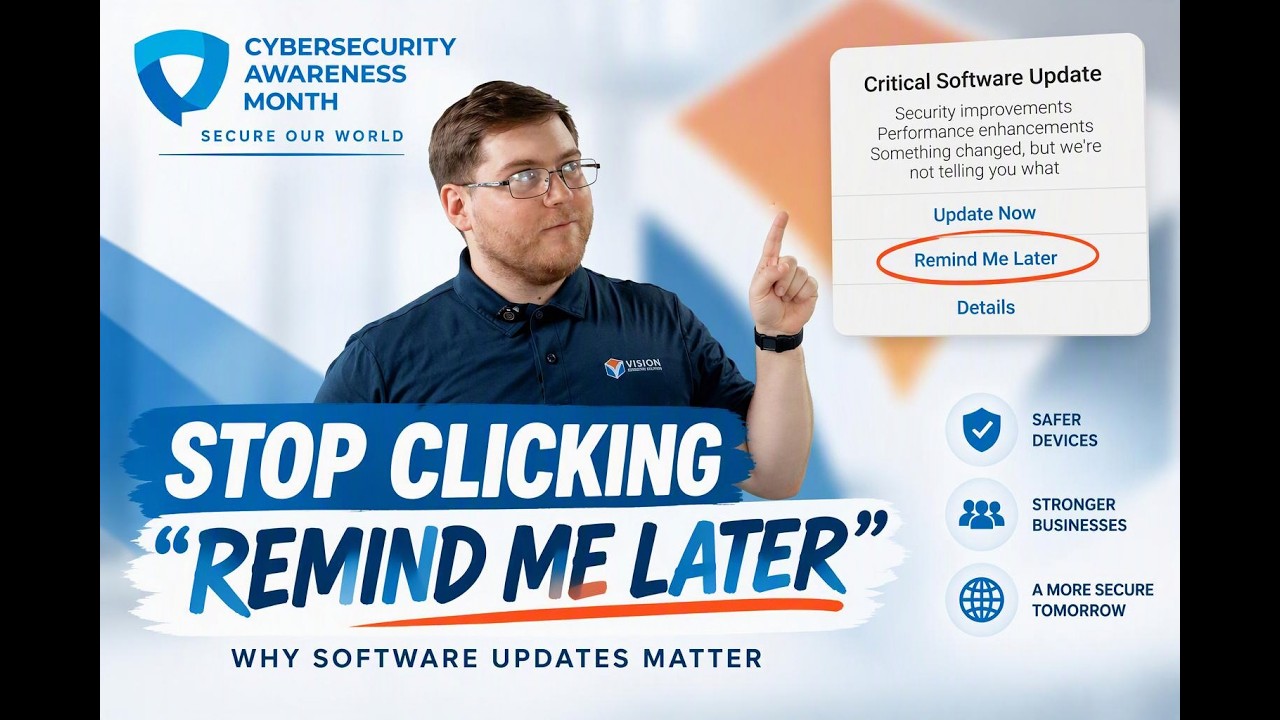
Cybersecurity Awareness Month happens every October and is supported by CISA, NIST, and other federal agencies. The message is simple: safe online habits matter, and small actions make it harder for criminals to succeed. Many ‘remind me later’ apps offer options to set custom reminders, allowing users to schedule notifications for specific times that suit their needs.
In apps and notifications, “remind me later” usually means you are postponing an action instead of completing it now. When that action is a security update, the delay can leave known weaknesses in place. That is why this campaign keeps pushing people to update software, not ignore the alert. The next sections explain why that matters so much.
Why Updates Matter More During Awareness Campaigns
Cybersecurity Awareness Month is built around practical habits people can repeat every day. The campaign highlights strong passwords, multifactor authentication, scam awareness, and software updates because those steps lower risk in real life, not just in theory.
That focus matters because your online activity connects to bigger systems. You use email, banking tools, work accounts, and other services every day. Many of them involve sensitive information and secure websites. If devices stay unpatched, attackers have more opportunities to exploit weak spots and move from one account or network to another.
If you like reminder tools, use them to schedule important tasks you truly cannot do right away. Set a specific time the same day, then follow through. During cybersecurity awareness month, that habit supports not only your own safety but also broader resilience and even national security when millions of users make better choices.
How “Remind Me Later” Impacts Device Security
At first, clicking “remind me later” feels minor. You may be in the middle of work, on a call, or trying to finish a task. Still, repeated delays can weaken device security because the fix is available, but your system is still running with an exposed gap.
That matters even if you already use strong passwords and multifactor authentication. Those tools are important, but they do not replace updates. Good protection works best when layers support each other. If you ignore the same notice too many times, the device may keep prompting you while the weakness remains uncorrected.
- Updates often repair software flaws that attackers already know about.
- Delays can leave your phone, laptop, or tablet open longer than necessary.
- Use official websites or trusted device settings when checking whether an update is real.
Risks Associated with Delaying Cybersecurity Updates
The risks grow quickly when updates are delayed. Hackers move fast, and current campaigns from CISA and NIST warn that technology is helping attackers find weak spots faster. If your device stays unpatched, your password, files, and other sensitive information can become easier targets.
The issue reaches beyond personal devices too. Businesses, public systems, and critical infrastructure all depend on timely fixes to reduce cyberattacks. If you use reminder tools, the best setup is one that helps you act on security tasks promptly, not postpone them again and again. To see where trouble starts, look at the common threats below.
Common Threats When You Click the Remind Me Later Button
When you put off an update, you are not just delaying maintenance. You may be extending the life of a weakness that criminals can target. That can lead to scams, account misuse, and broader cyberattacks against people, businesses, and public systems.
You should also be careful where update messages lead you. A real notice should connect you through your device settings or another trusted source. If you need information, rely on an official government organization, official websites, or a gov website using HTTPS.
| Threat | Why delay makes it worse |
|---|---|
| Scam messages | Fake alerts can look convincing when users are already used to dismissing real notices. |
| Password theft | Unfixed weaknesses can make it easier for attackers to reach login details or trick users. |
| Broader cyberattacks | Unpatched devices can become a starting point for attacks on workplaces or shared networks. |
If you want extra reminders, many free Android tools exist, but they should support action, not endless postponement.
What Happens Behind the Scenes When Updates Are Ignored
A lot happens behind the scenes when updates are ignored. Security teams at companies and public agencies track weaknesses, build fixes, and push them out so users can close those gaps. When people wait, the protective work is available, but the exposure remains.
NIST and partner organizations keep stressing resilience because recovery is harder when prevention is skipped. That is also why awareness campaigns share graphics, presentations, and simple tips. The goal is to turn security into a repeatable habit instead of a once-a-year thought.
People use “remind me later” in creative ways for daily tasks, but cybersecurity updates should not stay on that list for long. If a restart is needed, choose the nearest practical moment and complete it. In cyber safety, a short pause can be reasonable. A pattern of delay is where the real problem begins.
Conclusion
In conclusion, being aware of the risks associated with clicking the “Remind Me Later” button on software updates is crucial for maintaining your device’s security. Delaying updates can leave your systems vulnerable to cyber threats and exploits that evolve daily. As we observe Cybersecurity Awareness Month, it’s a great reminder to prioritize your digital safety by embracing timely updates. Don’t let convenience compromise your security; take control of your cybersecurity today. For more insights and expert guidance on navigating these risks, be sure to check out Zak’s informative video from Vision Computer Solutions. Stay safe out there!
Frequently Asked Questions
What does the “remind me later” button actually mean for software safety?
For software safety, “remind me later” means you are postponing a fix, not removing the risk. In cyber terms, your device security may stay weaker until the update is installed. NIST messaging supports prompt action because passwords alone cannot cover every software flaw.
Why is it risky to postpone cybersecurity updates with remind me later?
Postponing updates is risky because known weak spots stay open longer, which can help cyberattacks succeed. That puts your sensitive information at greater risk, even if you use strong passwords and protect every password carefully. An official government organization will usually urge updates because ignoring them is not a safe long-term option.
Can the remind me later button affect the overall user experience and productivity?
Yes. “Remind me later” can help productivity in the moment, but repeated delays often create more interruptions later. It can also weaken device security, which affects access to secure websites and accounts tied to your password. Better update habits support smoother work and stronger resilience over time.

Zak McGraw, Digital Marketing Manager at Vision Computer Solutions in the Detroit Metro Area, shares tips on MSP services, cybersecurity, and business tech.