
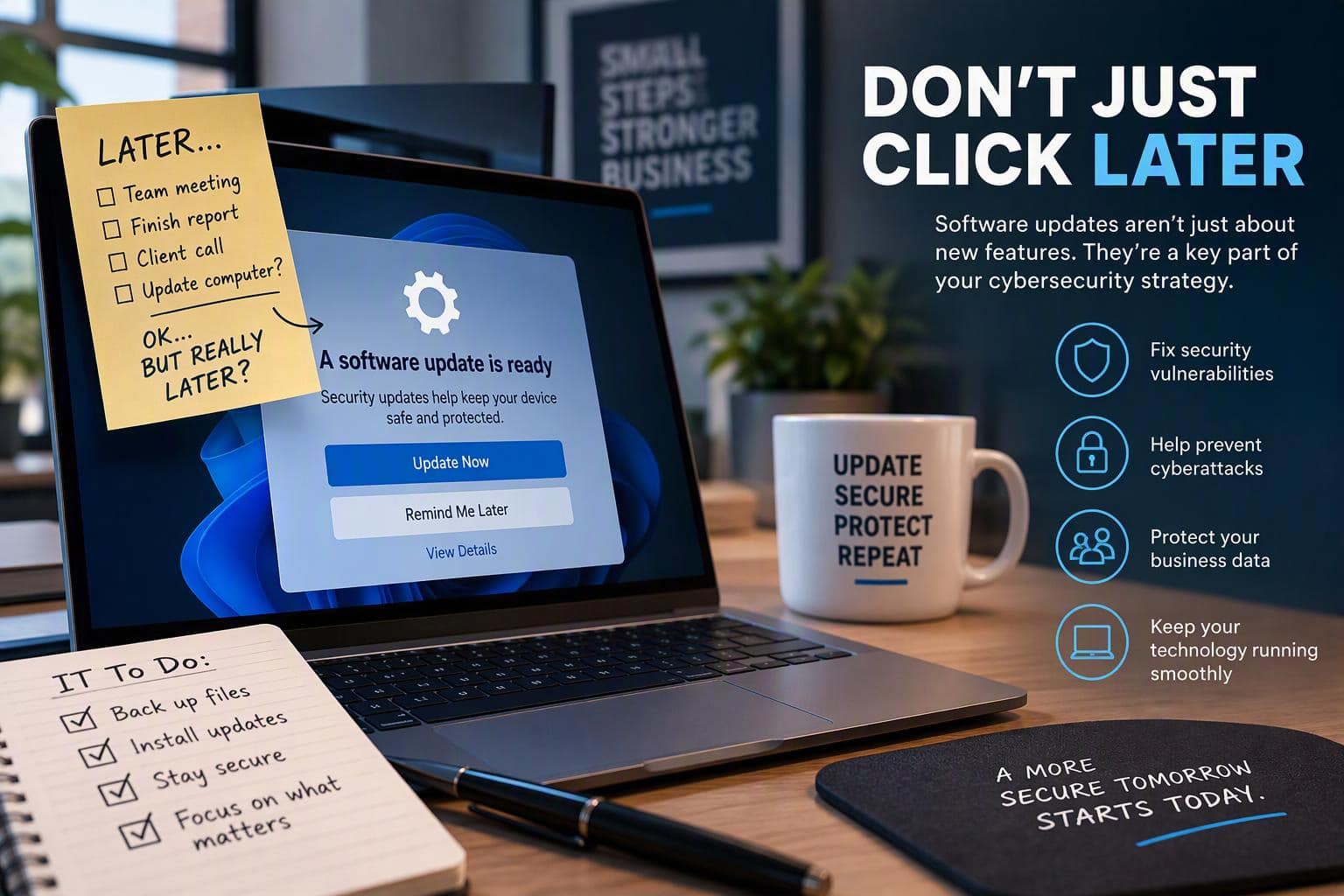
Software updates have a reputation for showing up at exactly the wrong time. However, these software updates play a crucial role in cybersecurity by helping to protect your devices from new threats.
You’re about to join a meeting. You have twelve browser tabs open. You’re trying to finish something before lunch. Then suddenly:
“An update is ready. Restart now?”
And there’s that tempting option: Remind me later.
Sometimes postponing an update for a few hours is practical. The problem starts when “later” turns into tomorrow, next week, and eventually, “Wait, when did I last update this thing?”
For businesses, software updates are more than maintenance. They are an important part of keeping devices, applications, and company data protected.
Software Updates Aren’t Just About New Features
When most people hear “software update,” they probably think about new features, redesigned menus, bug fixes, or changes they may not even notice.
But updates can also contain something much more important:
Security patches.
A vulnerability is a weakness in software that could potentially be exploited. Once a developer identifies a flaw and releases a fix, installing that update helps close the gap.
The original Vision Computer Solutions article, Remind Me Later: The Importance of Updates, highlights the same problem: when an update containing a security fix is available but hasn’t been installed, that weakness can remain exposed.
Think of it like fixing a broken lock.
If you know one of the doors to your building doesn’t lock correctly and somebody already handed you the replacement part, leaving the repair until next month probably isn’t the best security plan.
Your technology isn’t much different.
What Happens When Businesses Delay Updates?
One delayed update probably doesn’t feel like a cybersecurity emergency.
The bigger concern is what happens over time.
Employees postpone updates. Computers go weeks without restarting. Applications fall behind. Old devices remain in circulation. Suddenly, you have an environment filled with different software versions and potentially unresolved vulnerabilities.
The original article notes that updates often repair software flaws that attackers already know about.
That creates an important distinction:
Installing updates isn’t about assuming something bad will happen. It’s about removing unnecessary opportunities for something bad to happen.
A good cybersecurity strategy is largely about reducing those opportunities.
“But We Already Have Antivirus and MFA”
Great. Keep them.
But they don’t make software updates optional.
Cybersecurity works best in layers. Your organization might have:
- Multifactor authentication
- Strong password policies
- Endpoint protection
- Email security
- Firewalls
- Backups
- Employee cybersecurity training
Each layer addresses different risks.
Updates belong in that same conversation because they address weaknesses within the operating systems and applications your employees use every day.
The original Vision article makes this point directly: strong passwords and multifactor authentication are important, but they don’t replace security updates.
It isn’t MFA or updates.
It’s MFA and updates.
And backups.
And endpoint security.
And user awareness.
And all the other layers that make an organization’s cybersecurity strategy harder to get through.
Your Restart Button Might Be More Important Than You Think
Let’s talk about the other button everyone loves avoiding:
Restart.
Sometimes installing an update requires restarting the device before the update can fully take effect.
That’s why endlessly postponing a restart isn’t always as harmless as it seems.
We get it. Nobody wants to restart a computer with a desktop full of open applications and a browser that looks like it has been collecting tabs since 2019.
But there should eventually be a stopping point.
Save your work. Bookmark the important tabs. Finish what you’re doing.
Then give the poor computer the restart it’s been asking for.
Updates Matter Beyond Your Laptop
When we talk about software updates, don’t think exclusively about Windows PCs.
Businesses rely on an entire ecosystem of technology, including:
- Laptops and desktops
- Smartphones and tablets
- Web browsers
- Business applications
- Servers
- Network equipment
- Cloud-connected tools
- Security software
Each system needs to be properly maintained.
That makes patching less of an individual employee task and more of an overall IT management responsibility.
For a small business with a handful of devices, keeping track of everything might sound relatively straightforward.
As the organization grows, so does the challenge.
More employees mean more devices. More devices usually mean more software, accounts, applications, and opportunities for something to fall behind.
Don’t Let “Remind Me Later” Become Your Update Strategy
There is nothing wrong with postponing an update because you’re presenting to a client or finishing an important task.
There is a problem when postponing updates becomes the default behavior.
Instead, organizations should have a consistent approach to software updates and patch management.
That means knowing:
- What technology is being used
- Which devices require updates
- Whether important patches have been installed
- Whether aging systems still receive security updates
- Who is responsible for maintaining everything
The goal isn’t to constantly interrupt employees with updates.
It’s to make updating routine enough that employees barely have to think about it.
Where an IT Partner Can Help
For businesses without the time or internal resources to stay on top of every device, application, update, and security concern, technology management can quickly become complicated.
That’s where having the right IT partner makes a difference.
At Vision Computer Solutions, we believe cybersecurity should be proactive rather than reactive. Keeping systems maintained and addressing vulnerabilities is one piece of building a stronger overall technology environment for your business.
Instead of waiting until outdated technology creates a bigger problem, businesses can take a more intentional approach to managing their IT environment.
Because the best time to deal with a security weakness is before someone takes advantage of it.
Stop Clicking “Later”
Software updates may not be the most exciting part of cybersecurity.
That’s actually part of the point.
Good cybersecurity isn’t always dramatic. Sometimes it’s doing the small, boring things consistently.
Updating your software.
Using MFA.
Creating strong passwords.
Recognizing phishing attempts.
Backing up important information.
And yes, occasionally restarting your computer when it has been begging you to do it all week.
So the next time that update notification appears, don’t automatically hit Remind Me Later.
Sometimes the easiest cybersecurity improvement you can make is simply clicking Update Now.
Ready to Take a More Proactive Approach to IT?
Your employees shouldn’t have to wonder whether their devices are secure, updated, or properly maintained.
Vision Computer Solutions can help your business take a proactive approach to IT, cybersecurity, and technology management so your team can stay focused on the work that actually moves the business forward.

Rebekah Klimkowski is passionate about helping businesses leverage technology as a strategic advantage. With experience working alongside organizations across a variety of industries, she focuses on cybersecurity, managed services, and digital transformation initiatives. Rebekah regularly writes about emerging technology trends, risk management, and practical ways businesses can improve their security and operational resilience.