
MICROSOFT 365 SOLUTIONS
SharePoint Consulting & Development Services
Transform the way your business collaborates.
Organize information, simplify workflows, and build a connected workplace with Vision Computer Solutions.

Make SharePoint Work for Your Business
Microsoft SharePoint is a powerful platform for document management, team collaboration, internal communication, and automating business processes. However, without the right structure and strategy, businesses can struggle to realize its full potential. Disorganized files, complicated permissions, outdated intranets, and disconnected workflows can create unnecessary obstacles for employees.
Scattered Information
Important files and content live in too many places, making them hard to find.
Complicated Permissions
Access can be confusing, inconsistent, or difficult to manage.
Outdated Intranets
Your current site is hard to use or no longer meets business needs.
Manual Processes
Common requests and approvals still rely on email and manual steps.
Disconnected Tools
Disconnected tools prevent businesses from taking full advantage of Microsoft 365.
Unclear Governance
It is not always clear who owns content or maintains the site.
WHAT WE DO
SharePoint Services Built Around Your Team
Vision Computer Solutions helps businesses turn SharePoint into a centralized, secure, and productive digital workplace. Our SharePoint consulting and development services create practical solutions that simplify how employees access information, collaborate across departments, and manage everyday responsibilities.
Consulting & Strategy
Unlock SharePoint’s full potential with a strategic roadmap aligned with your people, processes, and business goals.
- Environment assessments
- Site architecture planning
- Practical roadmaps
Intranet Design
Build a user-friendly intranet that connects employees with the information and resources they need in one central location.
- Branded employee portals
- Intuitive navigation
- Department sites
SharePoint Migration
Simplify your move to SharePoint Online with a strategic, organized migration that minimizes business disruption.
- Migration planning
- Permissions review
- Post-migration testing
Document Management
Simplify document management with secure, organized storage and easy access to essential business information.
- Structured libraries
- Metadata and tagging
- Version history
Workflow Automation
Automate repetitive tasks, simplify workflows, and improve productivity with SharePoint and Power Automate.
- Approval workflows
- Request forms
- Automated notifications
Governance & Support
Keep SharePoint secure, organized, and efficient with proactive oversight and ongoing technical support.
- Access reviews
- Content ownership
- Ongoing support
How Much Will Your SharePoint Project Cost?
Take the guesswork out of SharePoint project planning. Use our SharePoint Cost Calculator to explore estimated costs based on your business needs.
No meetings. No sales calls. Just a starting point for your budget.
For planning purposes only. Final pricing depends on project scope.
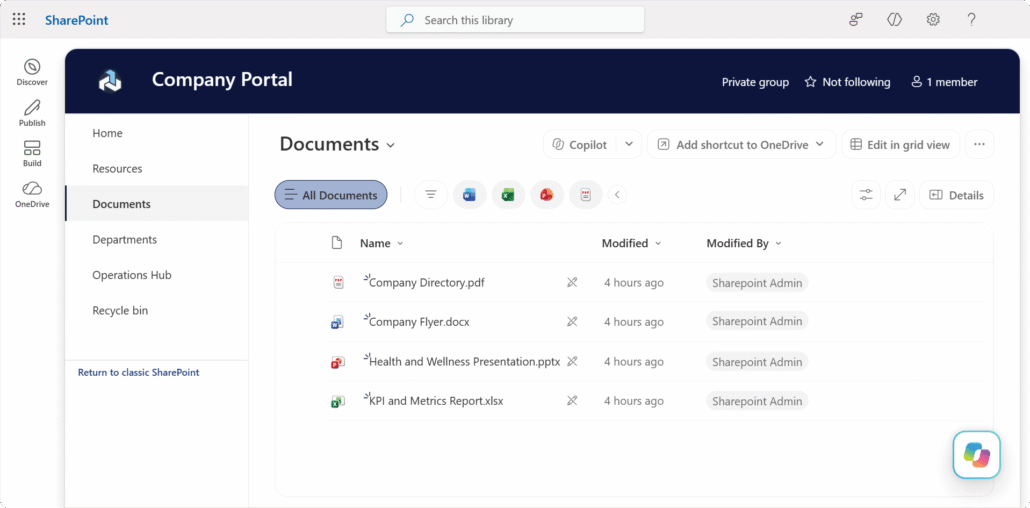
Less Searching. Better Collaboration.
✔ Find the right information faster
✔ Keep teams working from shared documents
✔ Simplify everyday approvals
✔ Get more from Microsoft 365
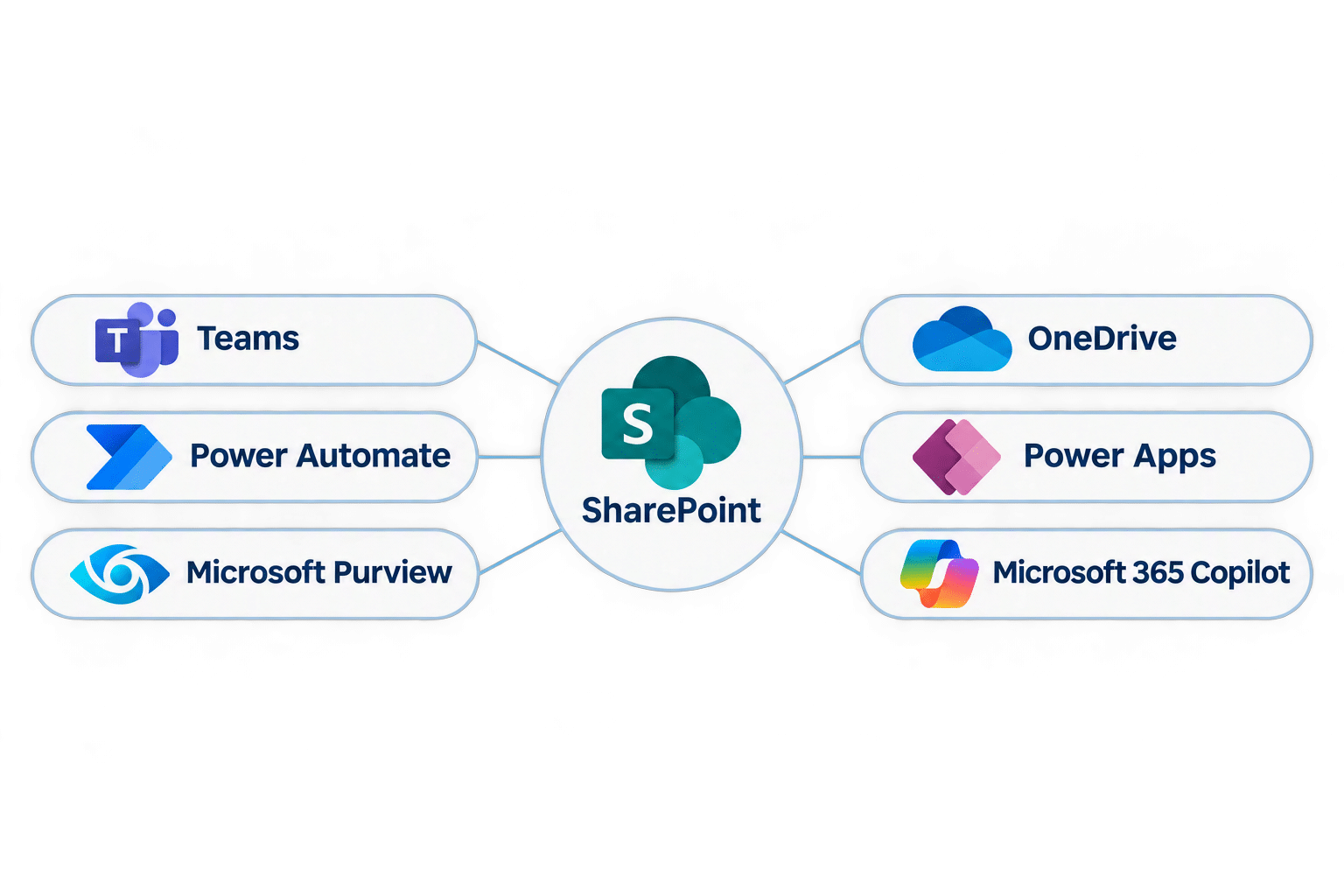
One Connected Microsoft 365 Workplace
Connect SharePoint with Microsoft 365 to bring your people, content, and workflows together in one seamless digital workplace.

Is Your SharePoint Ready for Copilot?
Better AI starts with organized information and appropriate access. Review permissions and sharing, clean up outdated content, and establish ownership and governance.
Content Organization
Structure and maintain trustworthy information.
Access Controls
Review permissions and oversharing.
Information Governance
Establish policies and content ownership.
Why Choose Vision Computer Solutions for SharePoint Consulting?
Your SharePoint environment is part of a bigger technology picture.
It connects your Microsoft 365 applications, employee identities, business information, cybersecurity controls, and everyday operations.
Vision approaches SharePoint as part of your broader IT strategy, supporting productivity, security, and long-term business growth.
A Business-First Approach
SharePoint solutions built around real business challenges, not unnecessary complexity.
Security-Minded Solutions
SharePoint solutions built around real business challenges, not unnecessary complexity.
A Long-Term Technology Partner
SharePoint solutions built around real business challenges, not unnecessary complexity.
Microsoft 365 Expertise
Connect SharePoint with Teams, OneDrive, Power Automate, and your broader Microsoft 365 environment.
Practical, Scalable Solutions
Prioritize usability, maintainability, and lasting business value beyond the initial implementation.
SharePoint Consulting FAQ
Microsoft SharePoint is a collaboration and content management platform that businesses use to store documents, share information, build internal websites, and manage business processes. Organizations commonly use SharePoint for company intranets, departmental workspaces, document libraries, internal communication, and workflow automation.
SharePoint and OneDrive are both Microsoft 365 services used to store and manage files, but they serve different purposes. OneDrive is primarily designed for an individual's work files, while SharePoint supports shared organizational content, team collaboration, document management, and company intranets. Businesses often use both platforms together.
Yes. Microsoft Teams uses SharePoint to support file storage and collaboration within Teams channels. Documents shared in standard Teams channels are stored in the associated SharePoint site. Businesses can also connect SharePoint pages, lists, and document libraries with Teams to make information easier for employees to access.
Yes. SharePoint can integrate with Microsoft Power Automate to streamline repetitive business processes. Common examples include document approvals, employee onboarding, notifications, request management, and document routing. Automation can help organizations reduce manual administrative work and improve process consistency.
SharePoint consulting costs vary depending on the scope and complexity of the project. Factors include the number of users, migration requirements, custom development, intranet design, workflow automation, security considerations, and ongoing support needs. A SharePoint assessment can help determine the services required and establish a budget aligned with your organization's priorities.
Yes. Many SharePoint environments can be improved without a complete rebuild. Organizations may benefit from restructuring document libraries, updating navigation, reviewing permissions, modernizing existing sites, improving search, or automating workflows. An assessment can identify which components should be retained, improved, or replaced.
SharePoint stores organizational information that Microsoft 365 Copilot may use when generating responses. Copilot operates within the user's existing access permissions, making content organization, governance, and permissions management especially important. Outdated information, excessive permissions, and poorly structured content can affect the usefulness and security of Copilot-generated responses.
Businesses can improve SharePoint security by implementing appropriate access controls, reviewing external sharing settings, managing site permissions, applying sensitivity labels, and establishing information governance policies. Regular permission reviews, employee training, and integration with Microsoft 365 security capabilities can further strengthen protection.
Ready to Get More From Microsoft SharePoint?
Whether your goal is to modernize your intranet, improve document security, automate repetitive tasks, or streamline Microsoft 365 collaboration, we help align SharePoint with the way your organization operates.
Your business deserves a SharePoint environment that makes collaboration easier, keeps information organized, and supports the way your employees work.
Let’s build a SharePoint environment that works better for your business.
Get More from SharePoint
Explore expert insights, practical tips, and best practices to help your business make the most of SharePoint.
Ultimate Guide to Company Intranet with Zach from Vision
In today’s fast-paced business world, effective internal communications are more important than ever. A company intranet serves as the digital

SharePoint Mastery: Vision Computer Solutions Expertise
What is SharePoint? In today’s online world, businesses need good tools to handle content, work together easily, and make tasks

Track Your Inventory with SharePoint
In today’s fast-paced, work-from-anywhere world, smart businesses are turning to automation and data-driven solutions to stay ahead. Efficient operations, real-time

Getting Started with SharePoint
Remote working isn’t a temporary phase brought on by external circumstances, it’s the future – and it’s here to stay.

Microsoft SharePoint Guide For Your HR Department: Collect Signatures Workflows
How can you simplify the change of IT companies and ensure it is a success? Switching IT companies can be a smooth process. This article will help you discover how you can switch IT companies with minimum IT support failure risks.

Microsoft SharePoint Guide For Your HR Department: Collect Feedback Workflows
How can you simplify the change of IT companies and ensure it is a success? Switching IT companies can be a smooth process. This article will help you discover how you can switch IT companies with minimum IT support failure risks.